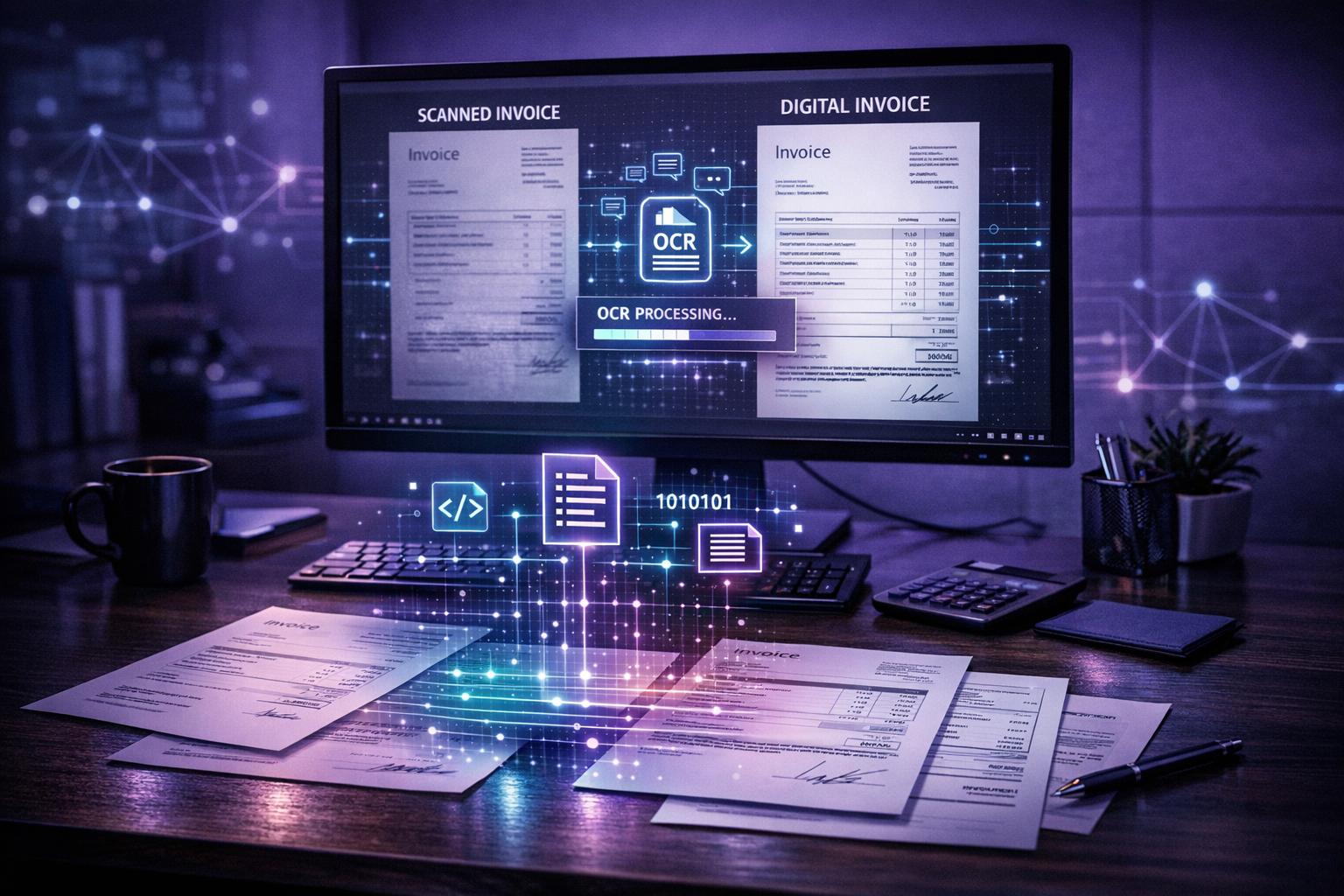
OCR (Optical Character Recognition) transforms how businesses handle invoices by automating data entry and reducing manual work. Here's what you need to know:
OCR works by digitising invoices, extracting key data (like VAT numbers and totals), and validating it automatically. For SMEs, this means fewer errors, faster approvals, and significant cost savings. Businesses like Spitfire Audio have cut weeks of work down to minutes using OCR. Starting small with a pilot programme can help ensure a smooth transition to automated processing.
OCR technology converts invoices into usable data through three key steps. For SMEs, understanding this process highlights where automation can take over repetitive tasks and where human input is still essential. Let’s break down each step of the OCR workflow.
Invoices come in all shapes and formats - scanned PDFs, email attachments, mobile photos, or even paper copies. The OCR system processes these invoices through uploads, emails, or direct scanning. Once received, it enhances the document by straightening, correcting rotation, improving contrast, and removing shadows. These adjustments are critical because even minor distortions can confuse text recognition algorithms. To optimise results, set scanners to a resolution of at least 300 DPI, and where possible, request native digital PDFs from suppliers.
After digitisation, the OCR engine analyses and identifies text patterns. There are two main extraction methods in use today:
AI-powered systems are particularly useful for handling diverse invoice formats. These tools extract essential details like invoice numbers, dates (formatted as DD/MM/YYYY for UK standards), supplier names, line items, VAT amounts, and totals. While standalone OCR systems typically achieve 85–90% accuracy, integrating AI and light human review can push this to 98–99% accuracy.
Once the data is extracted, automated checks validate its accuracy. These checks use rule-based logic to ensure, for instance, that due dates follow invoice dates, totals align with the sum of line items, and unusual amounts are flagged for review. Advanced systems go further with cross-reference verification, performing 2-way or 3-way matching to detect potential fraud or overpayments.
For example, Plentific, a property management platform, adopted this approach in 2025 under Finance Director Alun Davies. By doing so, they eliminated 108 days of manual invoice processing and shortened their financial close by 23 days.
Once validated, the data integrates seamlessly into accounting software, triggering payment approvals and scheduling. For extra assurance, a human-in-the-loop step allows staff to review low-confidence data or complex entries, ensuring near-perfect accuracy before finalising the process.
The advantages of OCR technology in invoice processing are hard to overlook, especially for SMEs juggling limited budgets and small teams. By streamlining operations, OCR helps cut costs, reduce errors, and improve overall financial management.
Manual invoice processing is a resource drain. On average, it takes 15–20 minutes to process a single invoice manually, costing between £15 and £40. With OCR, that time drops dramatically to just 30–90 seconds per invoice, and costs plummet to £2–£5. For a business processing 900 invoices monthly, this could translate to annual savings of over £160,000.
The benefits don’t stop at individual invoices. Some UK-based music technology companies, for example, have seen their invoice processing times shrink from weeks to mere minutes thanks to OCR automation. Scalability is another game-changer. While a single employee can manually process about 1,000 invoices per month, OCR allows one person to handle up to 10,000 invoices in the same timeframe.
These efficiency gains not only save money but also pave the way for fewer errors.
Manual data entry typically achieves 90–95% accuracy, but fatigue and human error can lead to costly mistakes. AI-powered OCR, on the other hand, boasts accuracy rates of 98–99%. It doesn’t just capture data - it actively checks for issues like duplicate invoices, VAT miscalculations, and mismatched totals. With each data entry error costing around £53, the savings add up quickly. A 2024 study even showed that OCR reduced invoice error rates from 3.6% to just 0.3%.
Alessandro Lupo, Finance Director at Mindquest, shared his experience:
"The team loves the app because it's easy and straightforward... We've also seen fewer mistakes now that the built-in OCR tech captures all the receipt data".
Faster processing has a direct impact on cash flow. Many suppliers offer early payment discounts - often 2% for payments made within 10 days. Research shows that 67% of businesses using automated processing take advantage of these discounts, compared to just 18% of those relying on manual methods.
Late payments remain a significant issue in the UK, costing the economy an estimated £11 billion annually and contributing to around 14,000 business closures each year. By speeding up invoice approvals, OCR helps businesses avoid late payment penalties and maintain healthier cash flows.
OCR also makes compliance with HMRC’s Making Tax Digital (MTD) initiative much easier. The technology creates searchable digital archives that meet the six-year VAT record retention requirement and ensures transparent audit trails with timestamps. Businesses that once spent weeks on manual invoice processing and financial close tasks now benefit from streamlined, unified accounting workflows. This not only saves time but also reduces the stress of meeting regulatory requirements.

OCR technology is revolutionising the way invoices are processed. On average, manual invoice handling can take as long as 25 days per invoice in medium-sized companies. While human accuracy is generally high, ranging between 96% and 99%, it tends to drop when fatigue sets in.
In comparison, OCR-powered systems reduce processing times dramatically, completing tasks in just minutes or hours. They also bring down costs significantly, with expenses falling to under £4 per invoice. These systems maintain a steady accuracy rate of 98–99% and can easily adapt to increased workloads without the need for additional staff.
The table below highlights the key differences between traditional manual processing and OCR-driven automation combined with RPA (Robotic Process Automation).
MetricManual ProcessingOCR + RPA AutomationTime per InvoiceDays to weeks Minutes to hours Error Rates1%–4% (human fatigue) 1%–2% (AI-validated) Cost per Invoice£12–£32 Under £4 ScalabilityRequires additional staff Easily handles volume spikes Data AccessibilityPhysical/unstructured Searchable/digital ComplianceHigh risk of audit gaps Automated audit trails
This comparison underscores the efficiency, cost-effectiveness, and reliability of OCR-driven systems, making them a compelling solution for modern invoice processing.
Start by evaluating where your invoice processing falls short. Look at how invoices come in - whether through post, email attachments, or digital platforms - and map out their journey from receipt to payment. Pay close attention to bottlenecks in validation and approval stages, as these are often the main culprits behind delays and inefficiencies.
Take note of error rates, such as typos, duplicate entries, or incorrect VAT calculations, especially during busy periods. These errors can have a real impact - just one misplaced invoice can delay processing by an average of 10 days, and late payments cost the UK economy around £11 billion annually.
Ask yourself if manual data entry or outdated intake methods are causing unnecessary delays or mistakes. For SMEs in the UK, it’s also essential to review your readiness for HMRC's Making Tax Digital (MTD) initiative, which will introduce mandatory phases starting in 2026.
By identifying these pain points, you’ll be better prepared to implement AI solutions that target specific inefficiencies.
Consider adopting AI-powered document management tools that integrate with your existing accounting software and offer high OCR accuracy - typically between 98% and 99%. These tools combine OCR with intelligent workflow automation, making invoice processing faster and more reliable.
Choose a solution that works seamlessly with platforms like Xero, QuickBooks, or Sage. Ensure it includes features that align with your needs, such as automated 3-way matching to cross-check invoices against purchase orders and receipts. If your business deals with international suppliers, look for multi-language support to handle invoices in different formats.
Once you’ve picked a suitable document management solution, start with a small pilot project. Focus on processing your highest-volume invoice types where OCR can make the biggest difference. Make sure scanned documents meet 300 DPI resolution and have high contrast for optimal OCR performance.
During the pilot, introduce a human-in-the-loop (HITL) process where your team reviews extracted data, particularly for complex or high-value invoices. Define clear metrics to measure success, such as processing time, error rates, and cost per invoice. This step ensures accuracy and helps the AI model improve over time.
If the pilot delivers strong results, expand the rollout gradually. Set up automated validation rules to catch issues like mismatched totals or invalid VAT numbers before they reach the payment stage. Encourage suppliers to submit invoices in standardised digital formats, which can boost OCR recognition rates during the broader implementation. Keep tracking your progress against the KPIs you established during the pilot and adjust your approach based on the results.
OCR is revolutionising invoice processing for SMEs, simplifying operations and freeing up your finance team to focus on more strategic tasks. By adopting OCR, businesses can take a phased approach that ensures smooth integration while maximising its benefits.
The best way to get started is to begin small. Launch a pilot programme targeting your highest-volume invoice types, set clear performance metrics, and keep human oversight in place for handling exceptions. For instance, Shahid Khalid, Head of Finance at Spitfire Audio, saw incredible results with OCR automation - cutting weeks of processing down to just 30 minutes.
With accuracy rates of 98–99% and seamless compatibility with platforms like Xero and QuickBooks, OCR offers a dependable framework for scaling operations. This means you can manage increased invoice volumes without the need to hire additional staff, all while staying compliant with HMRC’s Making Tax Digital regulations.
Expert guidance during implementation is critical. It ensures that OCR integration is optimised, workflows are refined, and data security is upheld. Whether your business processes a handful or thousands of invoices each month, the right strategy - backed by proper training and support - can lead to significant improvements in efficiency, accuracy, and cost-effectiveness.
Shifting from manual to automated invoice processing doesn’t just enhance productivity and precision; it also prepares your business for long-term growth while easing the workload on your finance team.
OCR technology helps streamline compliance with HMRC’s Making Tax Digital (MTD) requirements by automatically pulling essential details from invoices. This includes information like VAT figures, tax codes, and timestamps, ensuring everything is correctly captured and ready for digital submission.
By automating these tasks, OCR minimises the chance of manual mistakes, accelerates tax processes, and keeps your business in step with MTD regulations. The result? Time saved and greater precision in your tax workflows.
Template-based OCR operates by relying on predefined layouts to extract specific information, such as dates, invoice numbers, or totals. This approach works well for standardised documents, offering high accuracy and being both quick and cost-efficient for smaller operations dealing with a limited range of invoice formats. However, its limitations become clear when a supplier alters their layout or introduces a new format - each change demands the creation of a new template, making it less flexible and harder to scale.
In contrast, AI-powered OCR takes a more dynamic approach by leveraging machine learning to identify key details, regardless of the document's structure. This capability allows it to adapt seamlessly to various formats and automatically adjust to layout changes. Additionally, it can interpret context-sensitive fields, providing a higher degree of accuracy for a wide variety of invoices. However, this versatility comes with trade-offs, as AI-powered OCR often requires more processing power and can involve higher initial costs.
To set up a successful pilot programme for OCR-based invoice processing, SMEs should take a careful, step-by-step approach that minimises risk. Begin by establishing clear objectives and measurable success criteria. For example, aim for at least 90% accuracy, cut manual processing time by half, or save a specific amount of money each month. Use data from your current manual processing workflow as a benchmark to track improvements.
Choose a small, diverse sample of invoices - around 100 to 200 - that represent the range of formats and layouts your business typically deals with. Configure the OCR tool to extract key details such as supplier names, invoice numbers, dates, amounts, and VAT, and ensure this information integrates seamlessly with your accounting software or workflow system. To avoid disruptions, run the pilot in a controlled environment separate from your live systems.
Process the sample invoices through the OCR system, then manually review a portion to check for accuracy and pinpoint any errors. Compare the outcomes to your initial goals, identifying areas that need fine-tuning. If the results align with your expectations, you can plan a gradual rollout to handle your full invoice volume. If the results fall short, adjust the tool's configuration or expand the sample size to refine performance before scaling up. This structured approach allows SMEs to explore OCR's potential benefits without taking unnecessary risks.

Our mission is to empower businesses with cutting-edge AI technologies that enhance performance, streamline operations, and drive growth. We believe in the transformative potential of AI and are dedicated to making it accessible to businesses of all sizes, across all industries.


